
Build an agent and put it live in one sitting
Give it a name and a job. Choose its voice, its languages and how formal it sounds. Point it at what it knows. Decide what it is allowed to do on its own. Then tick the channels it answers on. Building and going live are the same flow here, not two projects with a gap in between.
You do not start from a blank screen
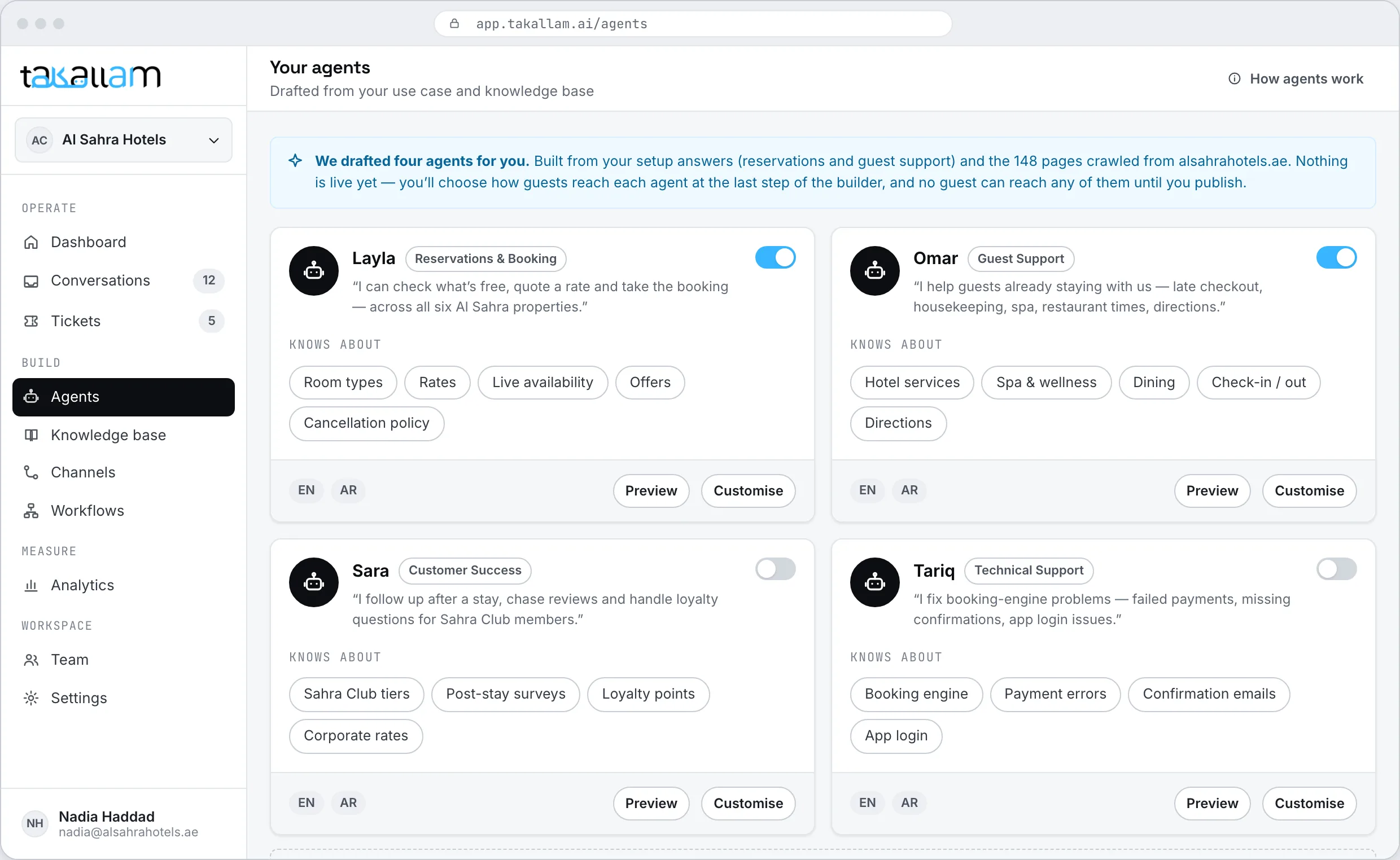
Takallam reads your website during setup and drafts the agents your business looks like it needs — a reservations agent for a hotel, an order-status agent for a shop, a front-desk agent for a clinic. Each one arrives named, scoped and already pointed at your knowledge base. Keep the ones that make sense, change them, or ignore all of them and build your own.
- Drafts come from your own site, not a gallery of generic templates.
- Take one as a starting point and rewrite anything in it.
- Building from scratch uses the same six steps, so nothing is lost either way.
Building an agent and exposing it are the same job
In most tools you configure a bot in one place, then go somewhere else to connect it to a channel — a different screen, often a different team, sometimes a different vendor. In Takallam the channel is a step in the builder.
One continuous flow
Identity, voice, knowledge, actions, channels, test. Six steps in a row, and you can go back to any of them at any point without starting over.
Channels are a step, not an integration
Tick QR, chat, email or phone and that channel's setup opens right there — the code to print, the snippet to paste, the inbox to forward, the number to take.
Nothing is live until you publish
Before you publish, the agent only talks to you, in the test panel. After you publish, you can keep editing it while it is answering customers.
Six steps from a name to a live agent
None of them takes long. All of them stay editable afterwards, on a live agent, without taking it down.
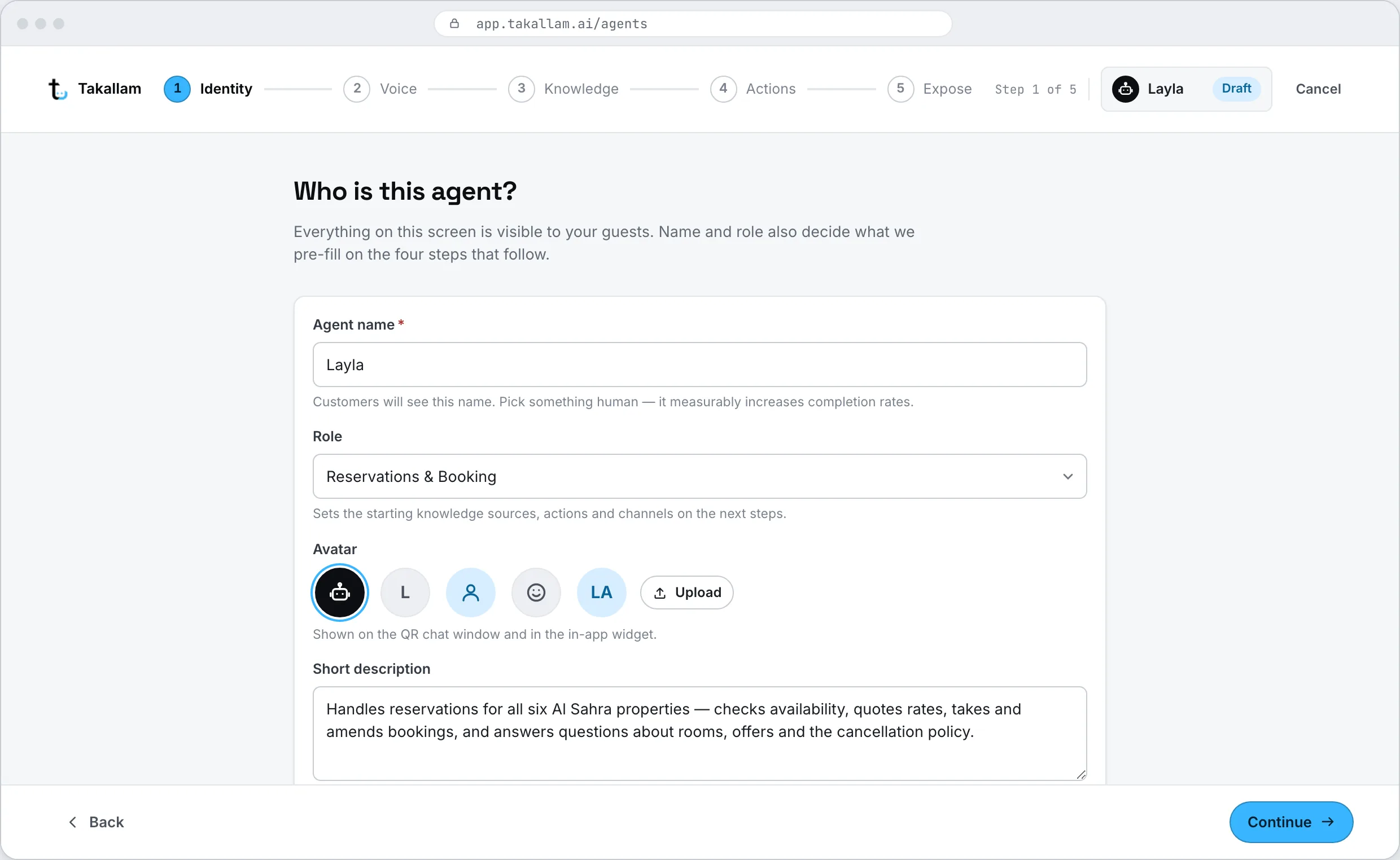
Identity and role
Name it, say what it is for, and write the one line that tells it why it exists — a reservations agent for a hotel, a returns agent for a shop, a triage agent for a clinic. The role shapes everything after it: what it looks for in your knowledge, what it treats as routine, and when it decides a question is not its job.
- A short brief in plain language, not a prompt you have to engineer.
- Assign it to a team, so anything it escalates lands in the right queue.
- Duplicate an existing agent when you want a variant rather than a new build.
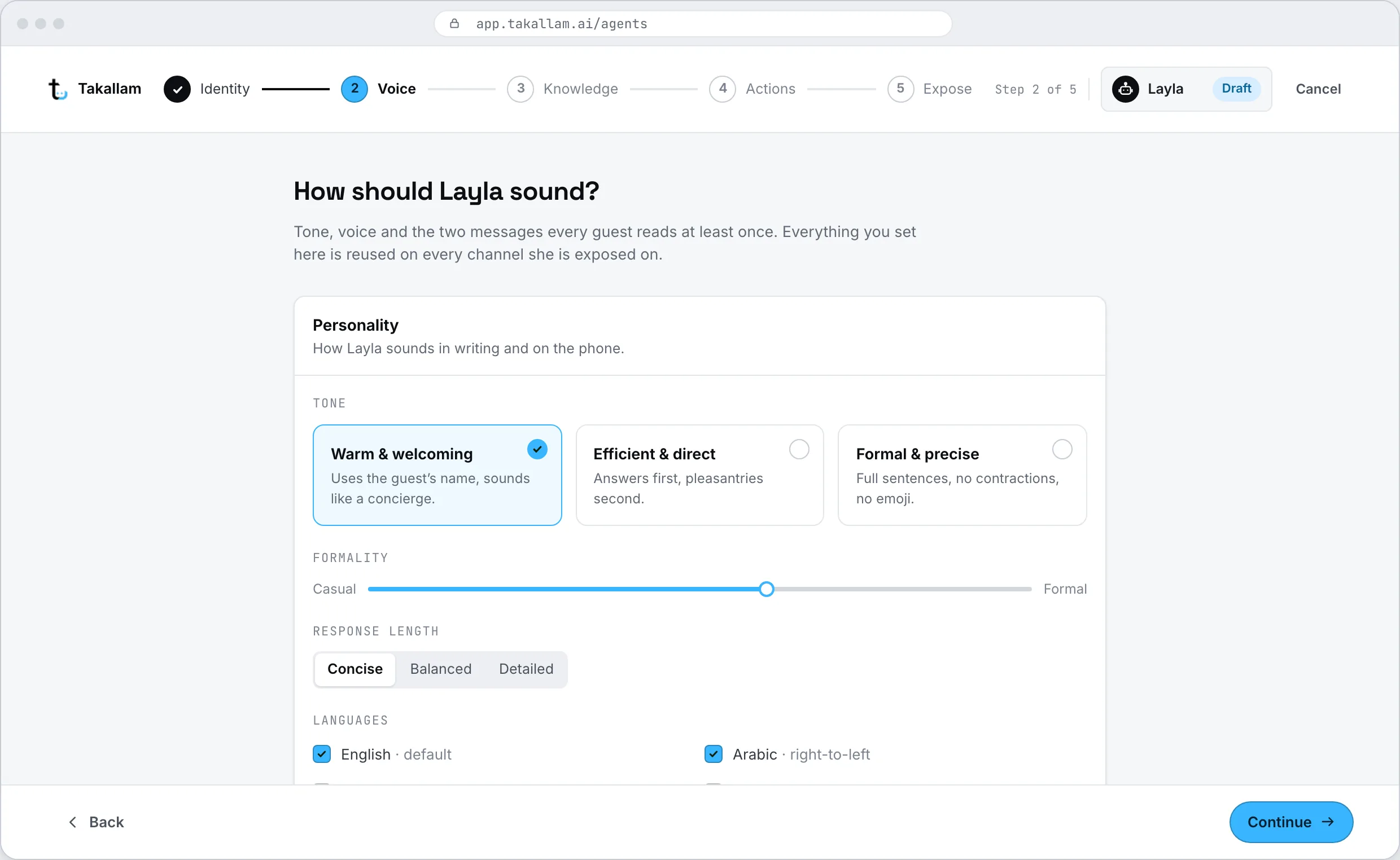
Voice, languages and tone
Pick the voice customers hear on the phone and through a QR scan, choose the languages it works in, and set how formal it sounds. English and Arabic, including Emirati and Gulf dialect — and a customer can move between them mid-sentence without the agent losing the thread.
- Emirati and Gulf dialect for voice, not only Modern Standard Arabic.
- Set the register: how formal, how short, whether it uses the customer name.
- Words it should never say, and words it should always say, like your product names.
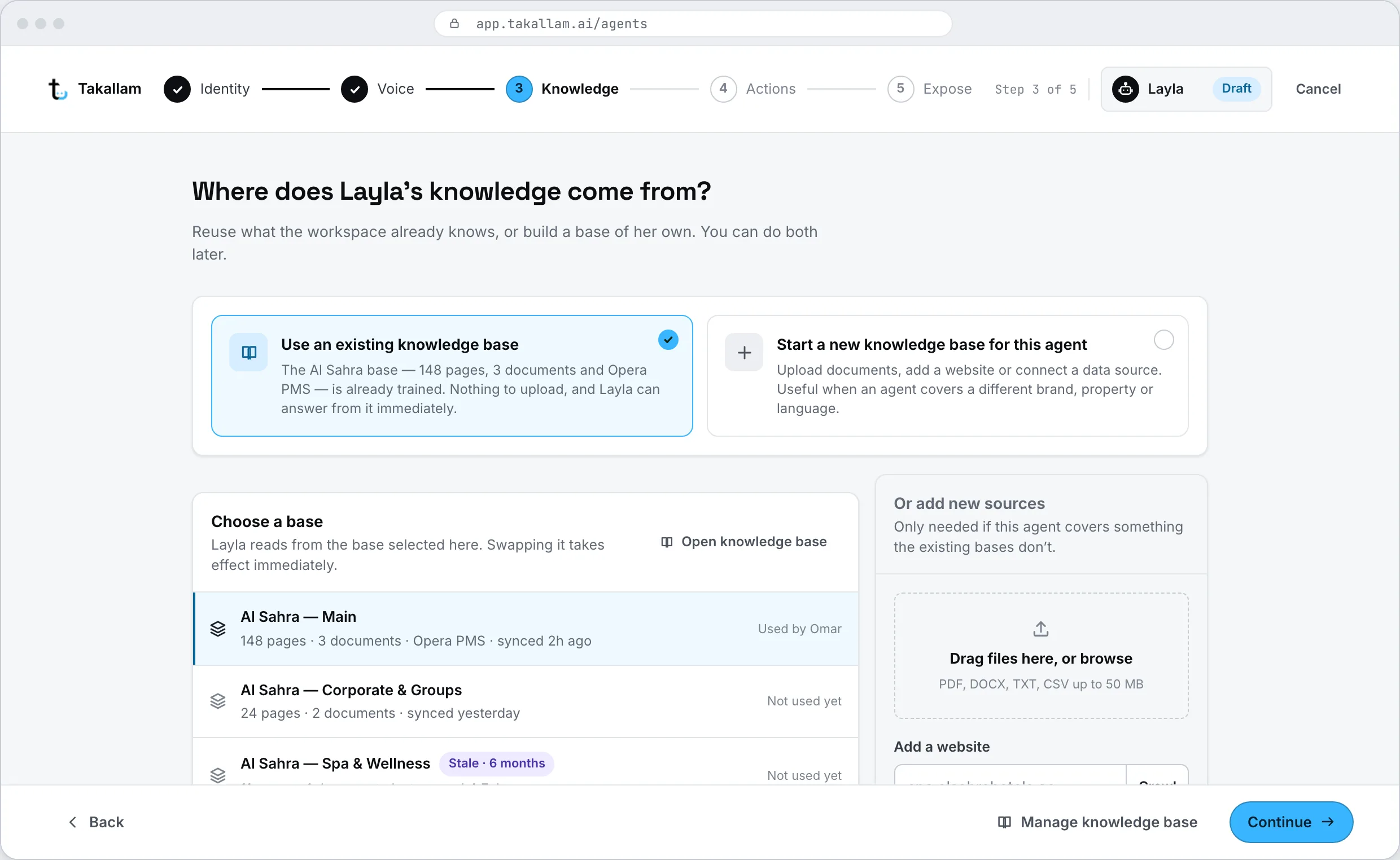
What it knows
Point the agent at a knowledge base. Use the one Takallam built from your website, or scope a narrower one to this agent — a reservations agent has no use for your careers page. Attach documents, connect a live system, and decide what happens when the answer is not in there.
- Reuse the workspace knowledge base, or give this agent a smaller one of its own.
- Add PDFs and documents, or connect a live source like a PMS or an order database.
- If the answer is not in its knowledge, it says so and escalates instead of guessing.
Actions and escalation
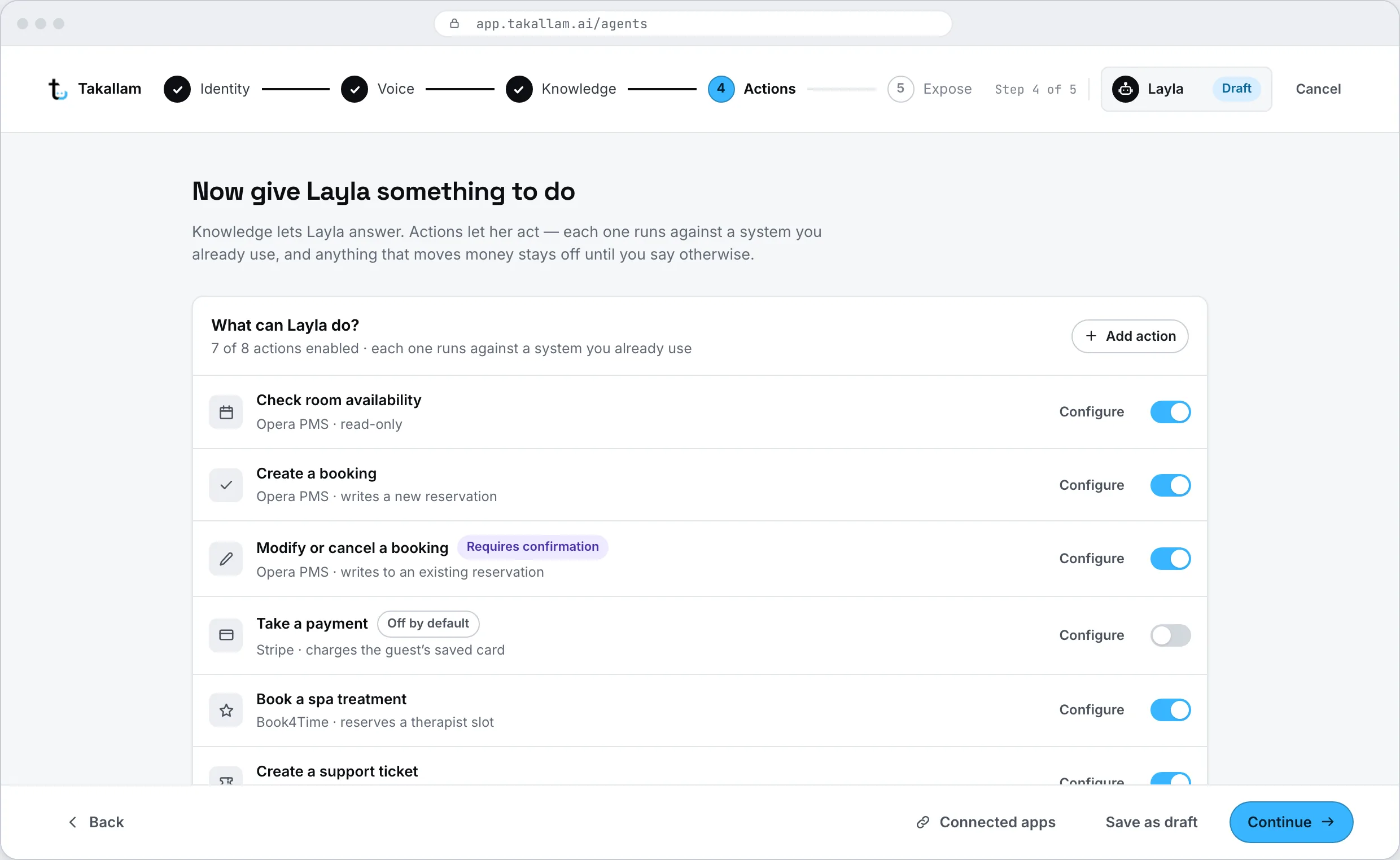
Decide what the agent may do without asking anyone. Check an order, quote a rate, book a slot, cancel a booking, start a refund — each one is a separate switch, and each one can be limited. Then write the rules for when it stops and hands the conversation to a person.
- Allow, limit or forbid each action on its own.
- Escalate on low confidence, on an angry customer, on a named topic, or on request.
- Everything it does is written into the conversation record, so you can see what it did and why.
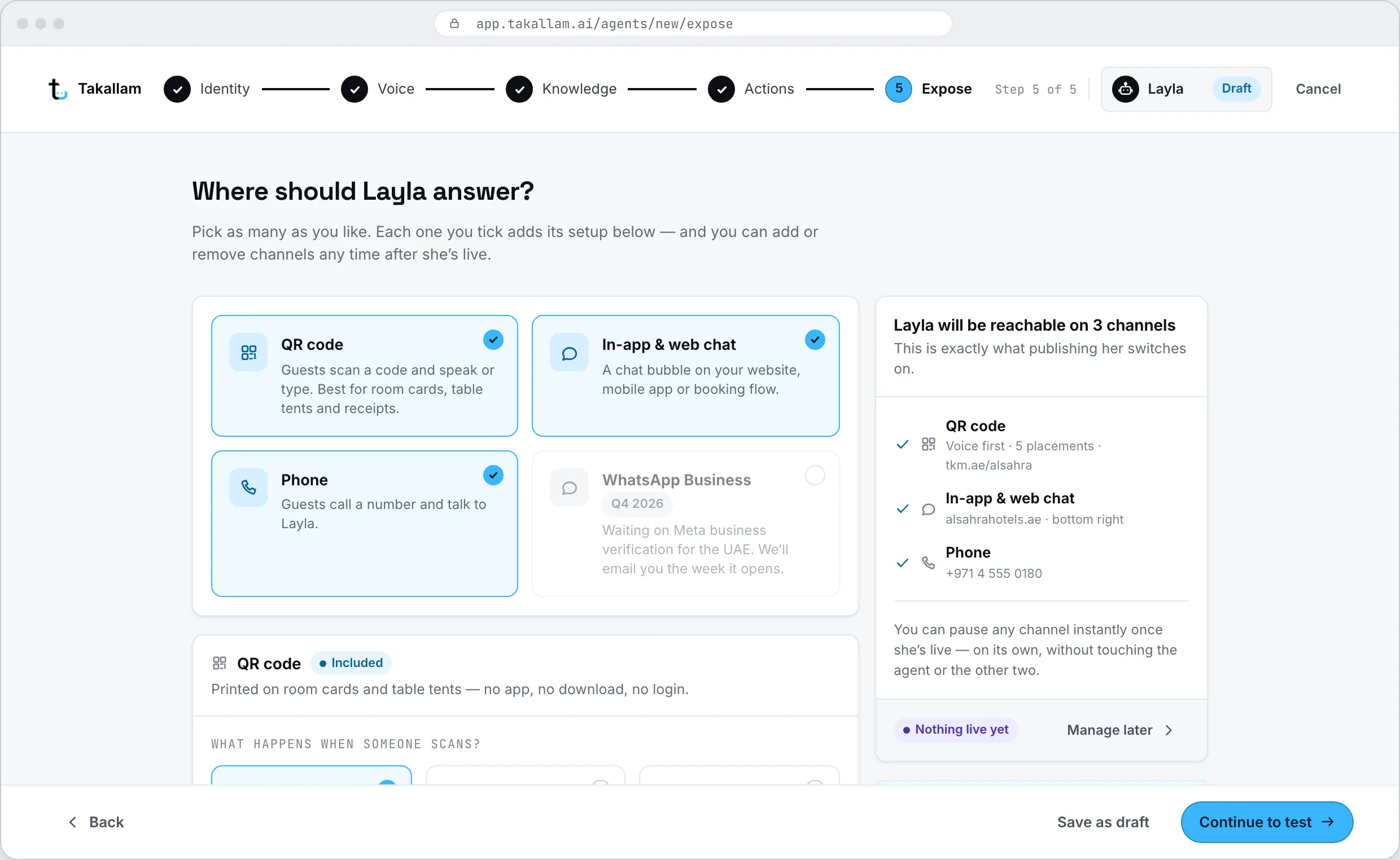
Where it answers
Tick the channels: QR voice, in-app and web chat, email, phone. Each one opens its own setup as you tick it — the code to print and where it points, the snippet or SDK for your site and app, the support address to forward or the mailbox to connect, the number to take or the number to forward. You never leave the builder to do it.
- One agent can hold all four channels, or you can split them across agents.
- Different QR codes for different places, so you can see which ones get used.
- Forward [email protected], or connect Google Workspace or Microsoft 365 directly.
- Take a new phone number, or point your existing one at the agent.
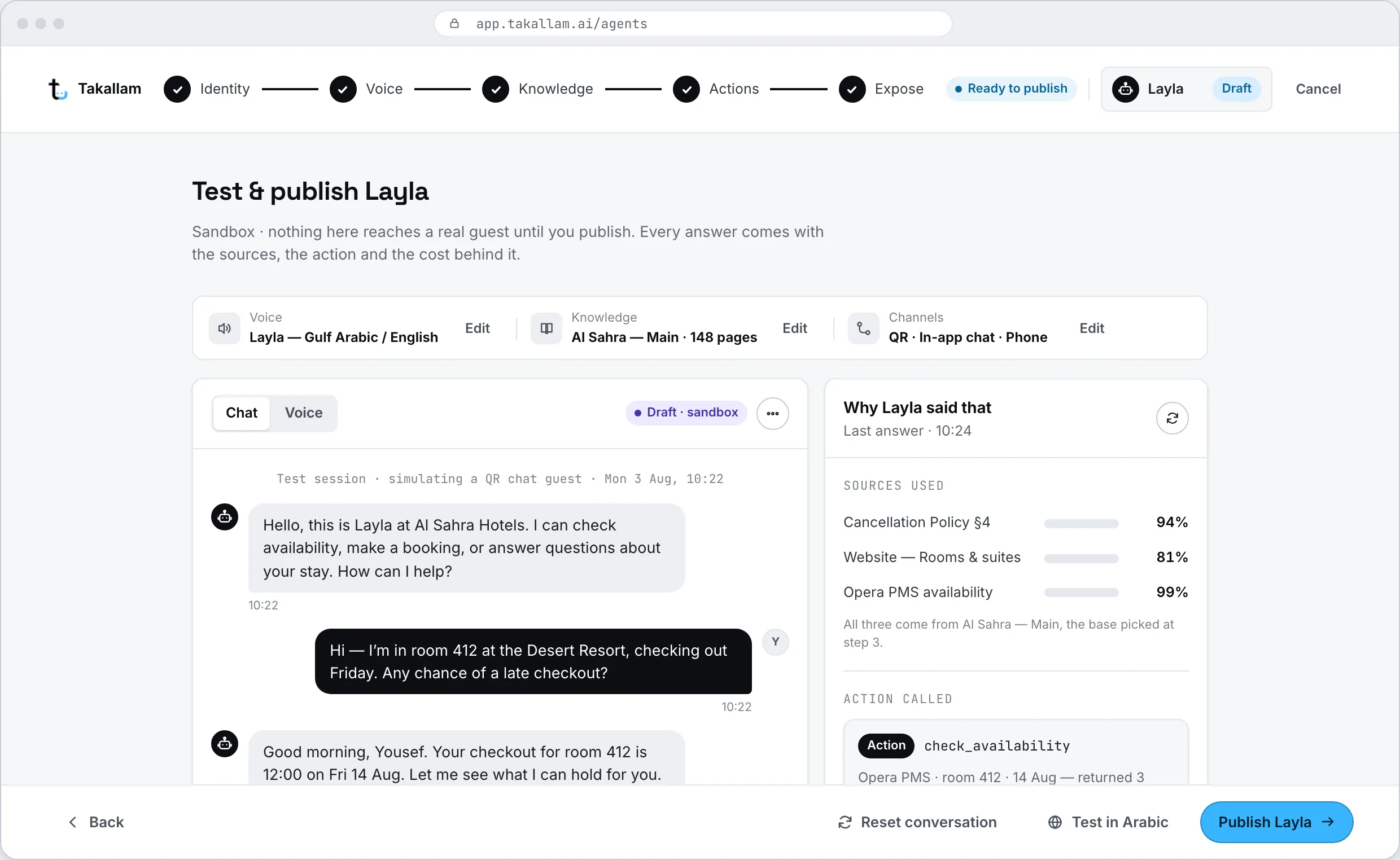
Test, then publish
Talk to the agent before anyone else does. Ask it the awkward questions, the ones your team gets every week, the ones you are worried about. You see the answer, where in your knowledge it came from, and whether it would have escalated. Fix what is wrong, then publish.
- Every answer shows its source, so you can tell a knowledge gap from a tone problem.
- Test in Arabic and English, in voice and in text.
- Publish when it is right, and keep editing it afterwards while it is live.
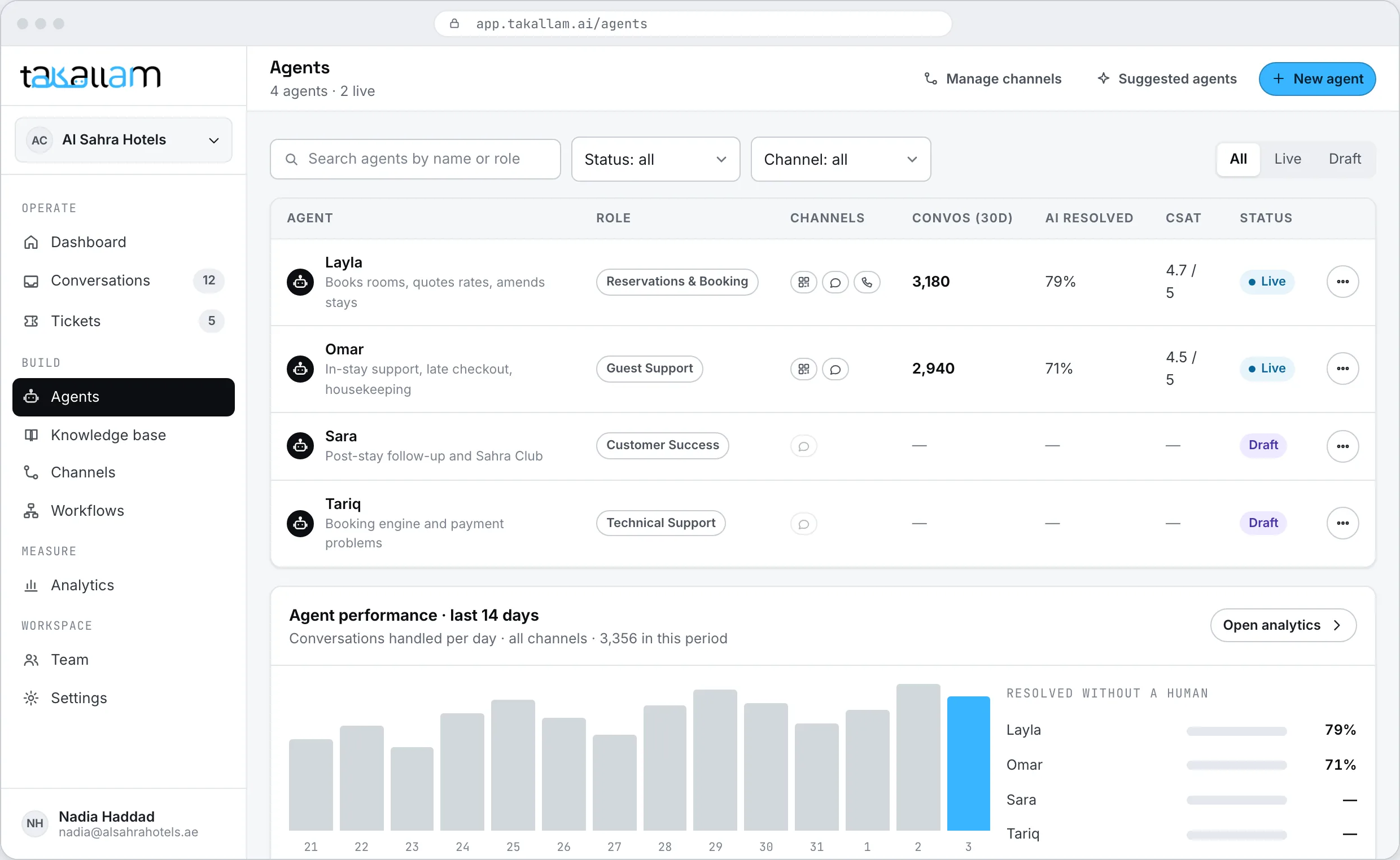
Several agents, one workspace, one record of the customer
Most businesses end up with a few: one for reservations, one for billing, one that covers the front desk after hours. They share the same knowledge base where that makes sense and keep their own where it does not — and every conversation lands in the same inbox, whichever agent handled it.
- Turn an agent off without deleting it, and turn it back on later.
- Different agents on different channels — the phone agent and the chat agent do not have to be the same one.
- See which agent handled what, and where each one escalates most often.
What sits behind every agent you build
An agent is the part your customer talks to. These are the parts that make its answers right and its escalations useful.
The knowledge base
Crawled from your website, extended with your documents and connected systems. You see every page it read and can remove anything it should not use.
How knowledge worksThe support console
One inbox across all four channels, human takeover in the same thread, tickets and SLAs for the things that need tracking.
Inside the consoleWorkflows
What happens after the conversation — update a PMS, text a confirmation, log the outcome somewhere your team already looks.
See the workflow builderThe API
Every step of the builder is an endpoint. Create agents, attach knowledge, set channels and subscribe to events from your own backend.
Read the developer docsWhat one agent covers
These describe what the product does, not results. Takallam is pre-launch and has no published performance figures.
Build the same agent from your own backend
Everything in the builder is an endpoint. Create the agent, attach a knowledge base, set the channels it answers on, and subscribe to a webhook for every escalation.
- REST API with predictable resources and cursor pagination.
- The same agent object the builder writes — no separate developer model.
- Signed webhooks when an agent escalates, publishes or changes.
# Create an agent
curl https://api.takallam.ai/v1/agents \
  -H "Authorization: Bearer $TAKALLAM_KEY" \
  -d '{
    "name": "Mariam",
    "role": "front_desk",
    "languages": ["ar-AE", "en"],
    "voice": "ar_ae_female",
    "actions": ["check_booking", "quote_rate"],
    "escalate_when": ["low_confidence", "refund_requested"],
    "channels": { "qr": { "mode": "voice_first" }, "chat": { "embed": true } }
  }'

# Give it something to answer from
curl https://api.takallam.ai/v1/agents/agt_014/knowledge \
  -H "Authorization: Bearer $TAKALLAM_KEY" \
-d '{ "knowledge_base": "kb_live" }'What people ask about building agents
How long does it take to build an agent?
Minutes, if your knowledge base is already there — and after setup it usually is, because Takallam builds it from your website. The six steps are short, and the part that takes real thought is deciding what the agent is allowed to do on its own.
Do I need to write prompts?
No. You write a short brief in plain language — what the agent is for, who it serves, what it should never do. Tone, format and escalation are settings, not prompt engineering. If you do want lower-level control, the same agent is available over the API.
Can one agent handle voice, chat, email and phone at the same time?
Yes. Channels are a step in the builder, so one agent can hold QR voice, in-app and web chat, your support inbox and a phone number together. You can also split them — a phone agent and an email agent with different rules — if the jobs are genuinely different.
What happens when the agent does not know the answer?
It says so and escalates rather than guessing. The conversation moves to your team on the same channel with the transcript attached, and the unanswered question is recorded so you can add what was missing to the knowledge base.
Can I stop an agent doing certain things, like refunds?
Yes. Every action is a separate switch, and each one can be allowed, limited or forbidden. A common setup is letting the agent check and quote freely, but escalating anything that moves money or cancels a booking.
Can I change an agent after it is live?
Yes. Voice, tone, knowledge, actions, escalation rules and channels are all editable on a published agent. You can also turn an agent off without deleting it, which stops it answering while keeping everything you configured.
Does the agent really speak Emirati Arabic?
Yes — Emirati and wider Gulf dialect in voice and in text, including customers who switch between Arabic and English mid-sentence. You set the register per agent, so a front-desk agent can sound different from a billing agent.
Can we create agents through an API instead of the builder?
Yes. The builder writes the same agent object the API does, so you can create agents, attach knowledge and set channels from your own backend, and still open them in the console afterwards.
Build your first agent with us
Takallam is pre-launch and onboarding a first cohort in the UAE. Tell us what your agents would need to do and which channels they need to cover, and we will come back with a rate against your real volume.
Pay per interaction · priced per channel · no seats, no minimums